MS Case — Add Pleadings to Existing Case
Miscellaneous (MS) cases are enforcement-related cases filed by the WCA Enforcement Bureau with the Clerk's Office. If you are an attorney who is a party to an MS case, you can view the case and submit pleadings through the ECF portal under My MS Cases.
Open My MS Cases
From the left navigation menu, click My MS Cases.
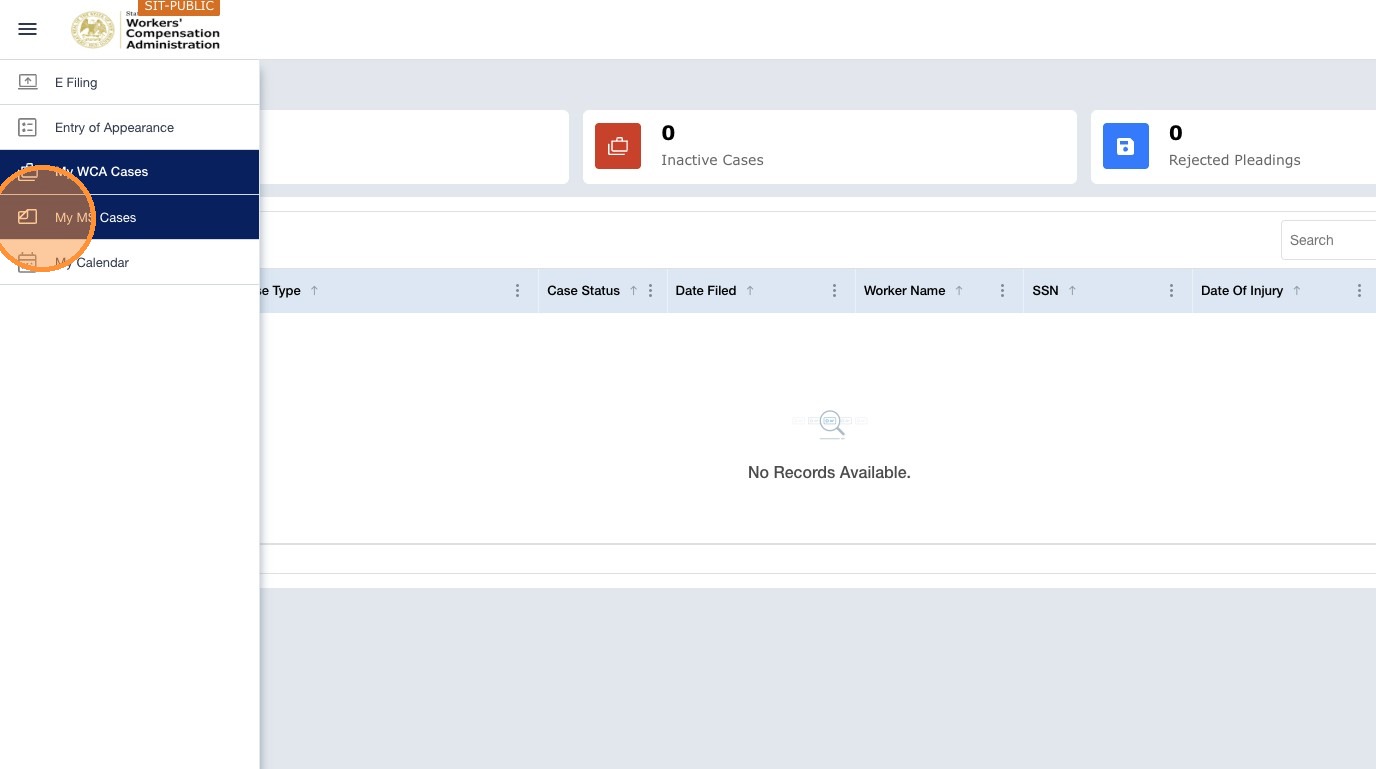
Navigation: Left navigation menu → My Cases → My MS Cases tab
Your MS cases are listed under a separate tab from your WCA cases.
| Tile | Description |
|---|---|
| Active MS Cases | MS cases where you are a party and the case is open. You can view case details and submit pleadings. |
| Inactive MS Cases | MS cases closed by the Clerk's Office. These cases are read-only, and you cannot submit new pleadings. Contact the Clerk's Office if you need to take action on a closed case. |
| Rejected Pleadings | Pleadings you submitted that were rejected. They are visible only to you; the opposing party cannot see them. |
Open the case
- Use the tiles — Active, Inactive, or Rejected Pleadings — to filter the list if needed.
- Click a case ID in the table to open the Case Details page.
Go to the Pleadings tab
The Case Details page includes tabs such as Overview, Parties, Pleadings, and Events. Click the Pleadings tab.
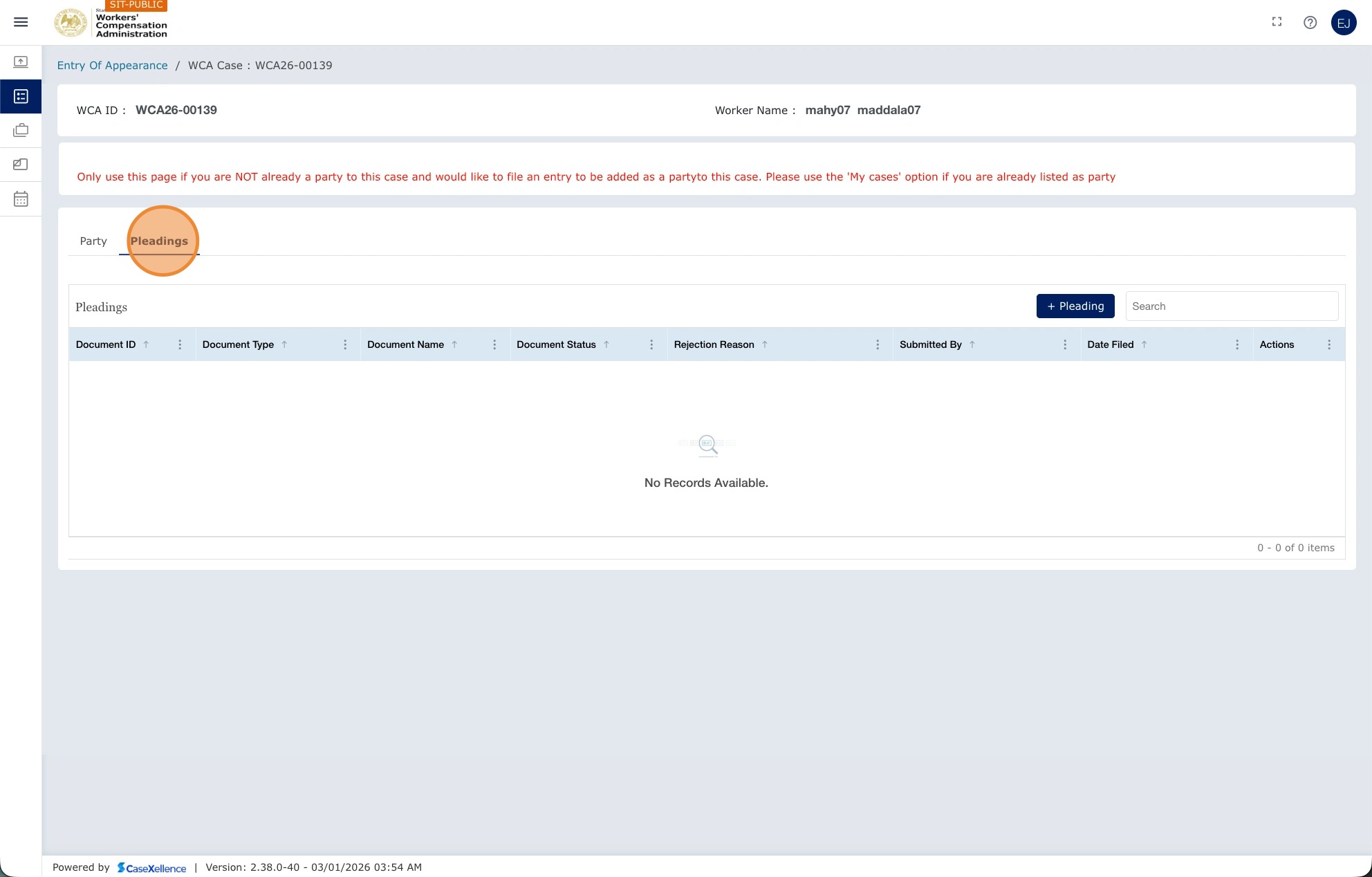
Add a pleading to an MS case
Navigation: Left navigation menu → My Cases → My MS Cases tab → click the case ID → Pleadings → + Pleading
- Open My MS Cases (from the left menu, or My Cases → My MS Cases tab) and open your case.
- Click the Pleadings tab.
- Click + Pleading.
- Select the Pleading Type and upload your document. The maximum file size is 10 MB.
- Click Submit. All parties on the case are notified by email.
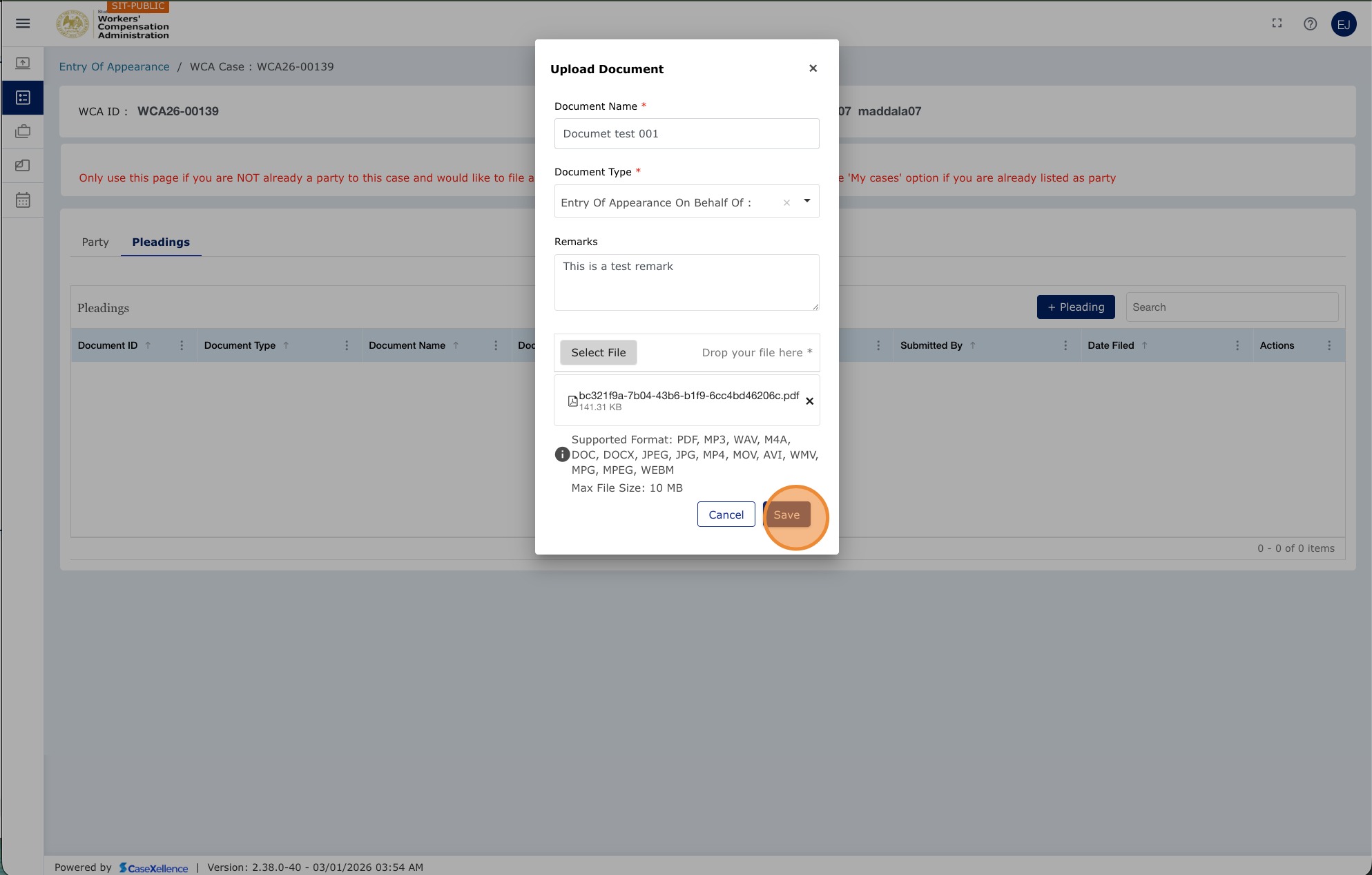
Note: You will only see MS cases where you are listed as an active party. If you believe you should be a party but cannot see the case, contact the WCA Clerk's Office.
Events on MS cases, such as Director's Hearings, become visible only after the Clerk's Office has e-filed the Notice of Hearing. You will receive an email when the notice is available.
See also: MS Case — Resubmission of Rejected Pleadings · Contact Us
Portions of this user guide were produced with assistance from artificial intelligence tools; all content was reviewed for accuracy before publication.